Valuation Software Subscription

#1 Best-Selling Business Valuation Software

How the Valuation Software Subscription Works

Ten Easy Steps to Create a Professional Standards-based Valuation Report.

Overview

ValuSource valuation applications provide the best of both worlds, a stand-alone comprehensive valuation application and direct access to all the spreadsheets and Word documents in Excel and Word.

1

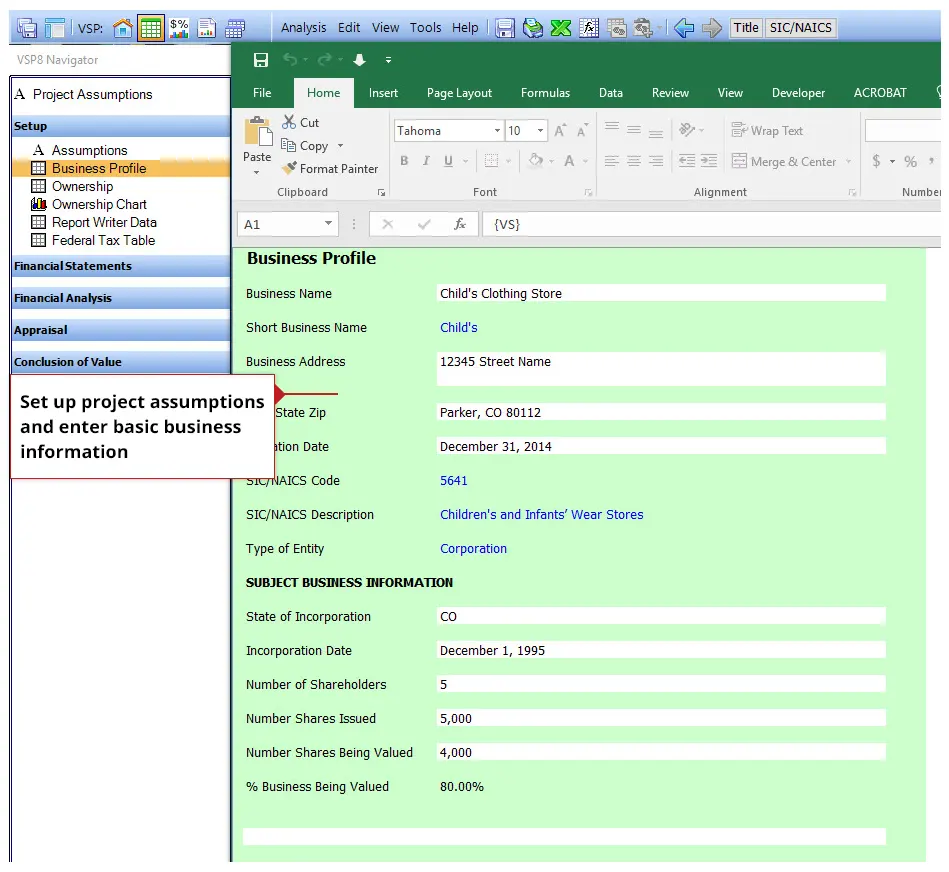
Set up the valuation (project)

The first step in the process is to setup the project and enter some basic business information.
2

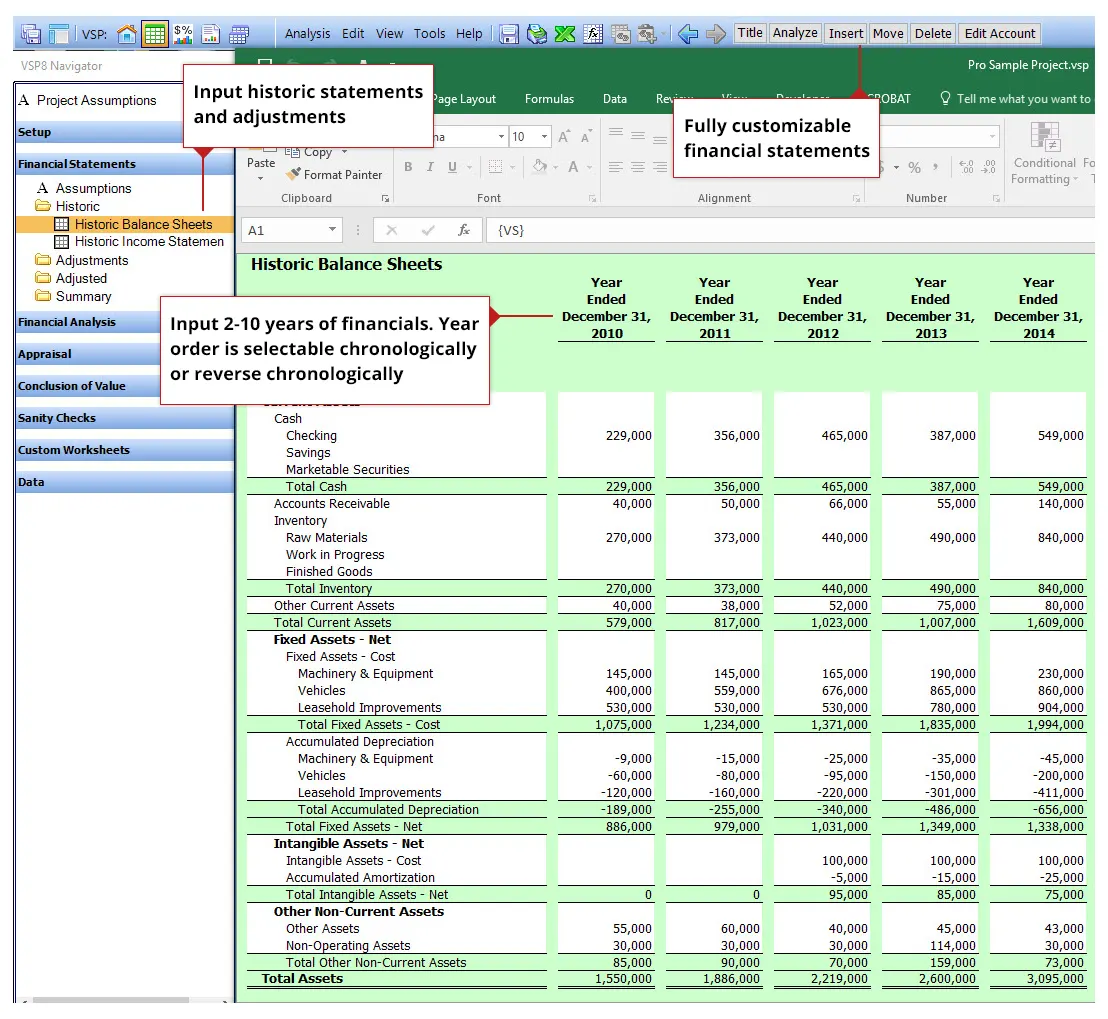
Input financial statements

The financial statements are completely flexible, you can enter an unlimited number of accounts and sub-accounts and make the financials look like your clients.
3

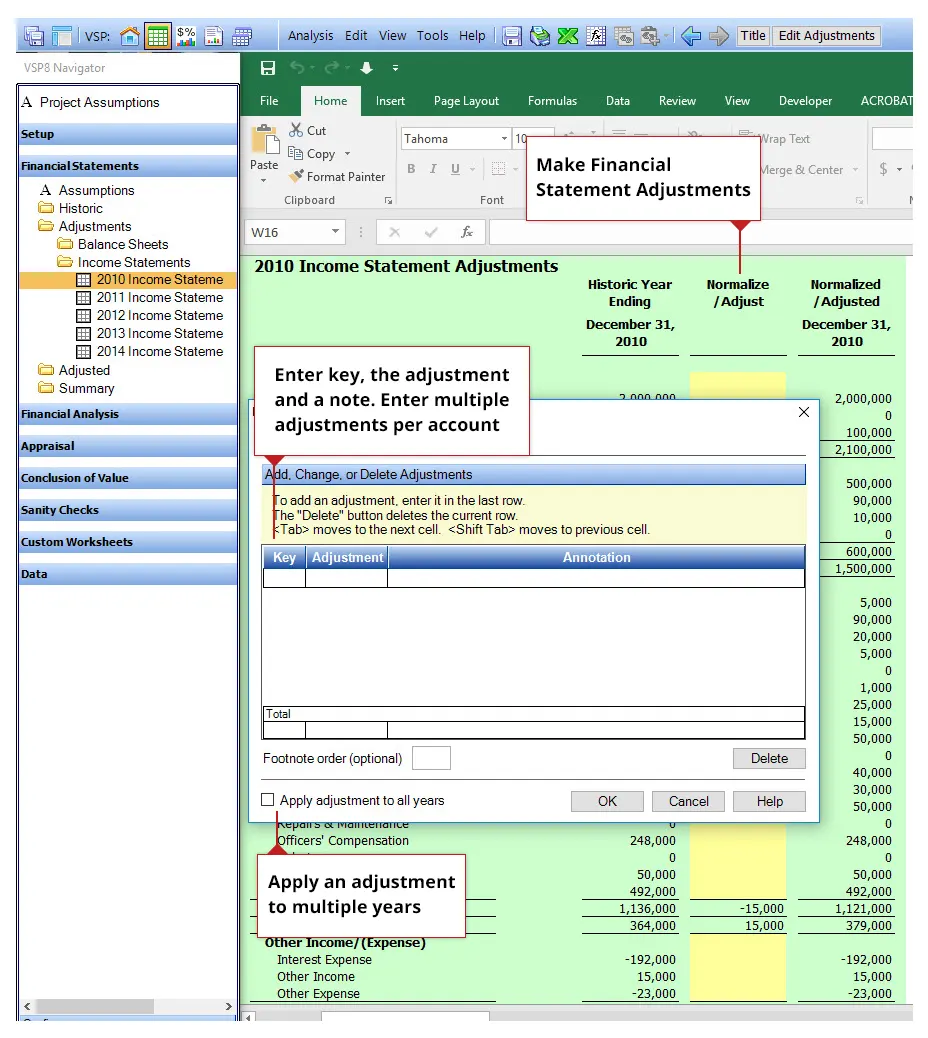
Make income statement and balance sheet adjustments

Every line item in the income statement and balance sheet can be adjusted. You can enter multiple adjustments per line items and copy those adjustments to other years as well.
4

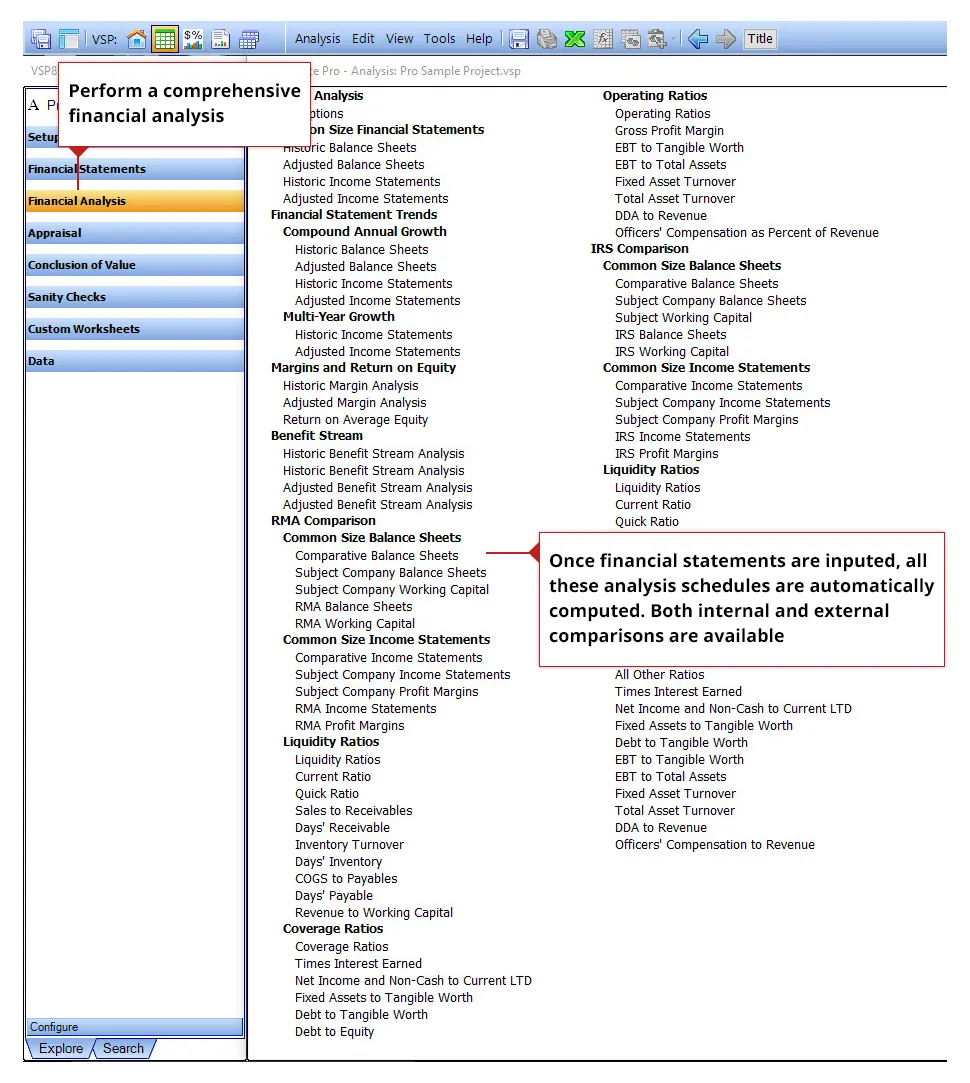
Perform a comprehensive financial analysis

One the financials have been input, a comprehensive financial statement analysis is automatically calculated. Internal and external comparisons are provided and RMA and IRS can be downloaded to use as industry norms.
5

Compare financial statements to industry norms (ValuSource Financial Ratios, RMA or custom comparisons)

The ValuSource Financial Ratios and ProSight (RMA) Annual Statement Studies are built directly into the software, so they are always one click away.
6

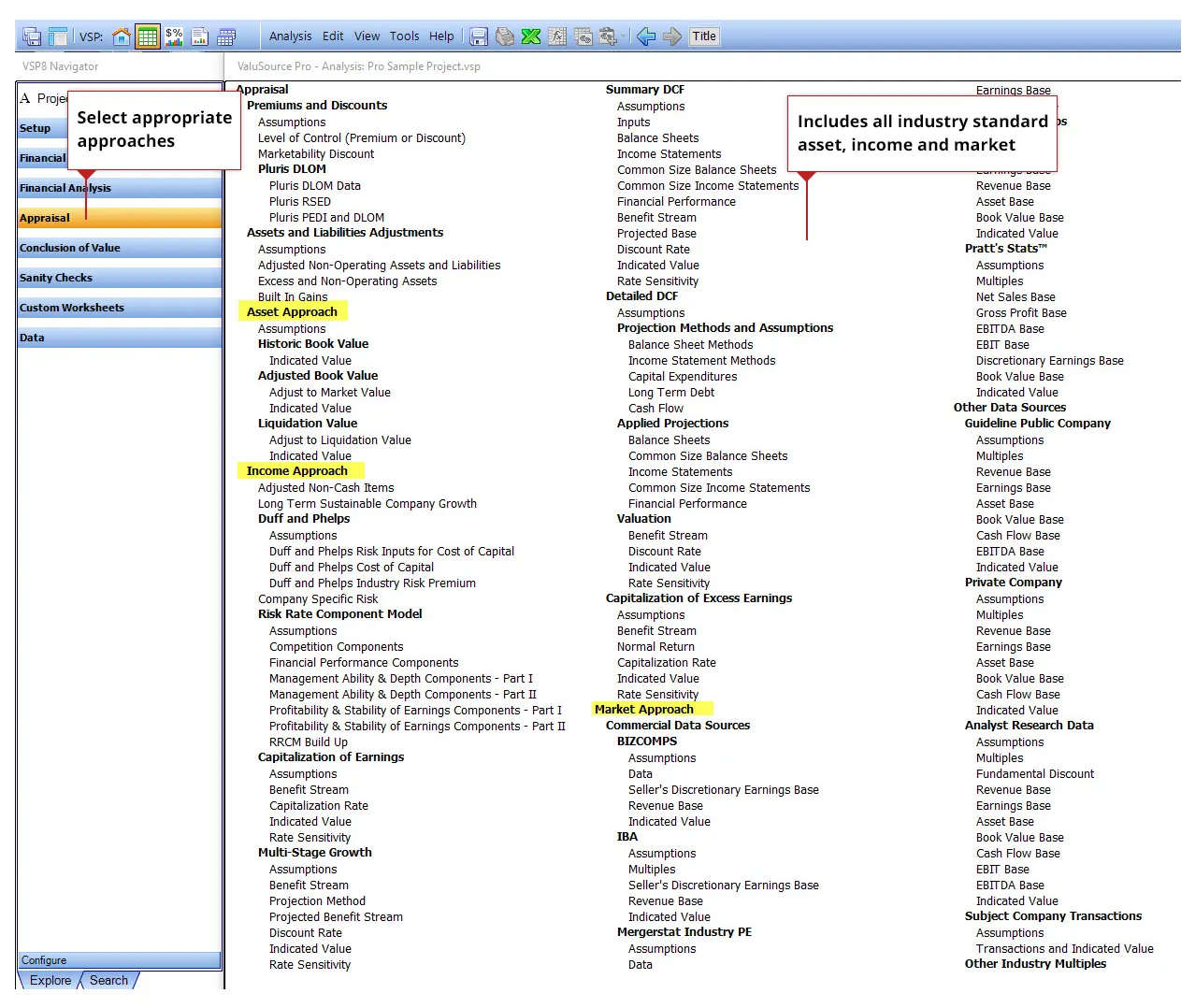
Select appropriate approaches

All the standard approaches are included, allowing you to select which ones are appropriate for your engagement. Each approach has settings and assumptions to allow you to quickly set up the approach to meet your specific requirements.

7

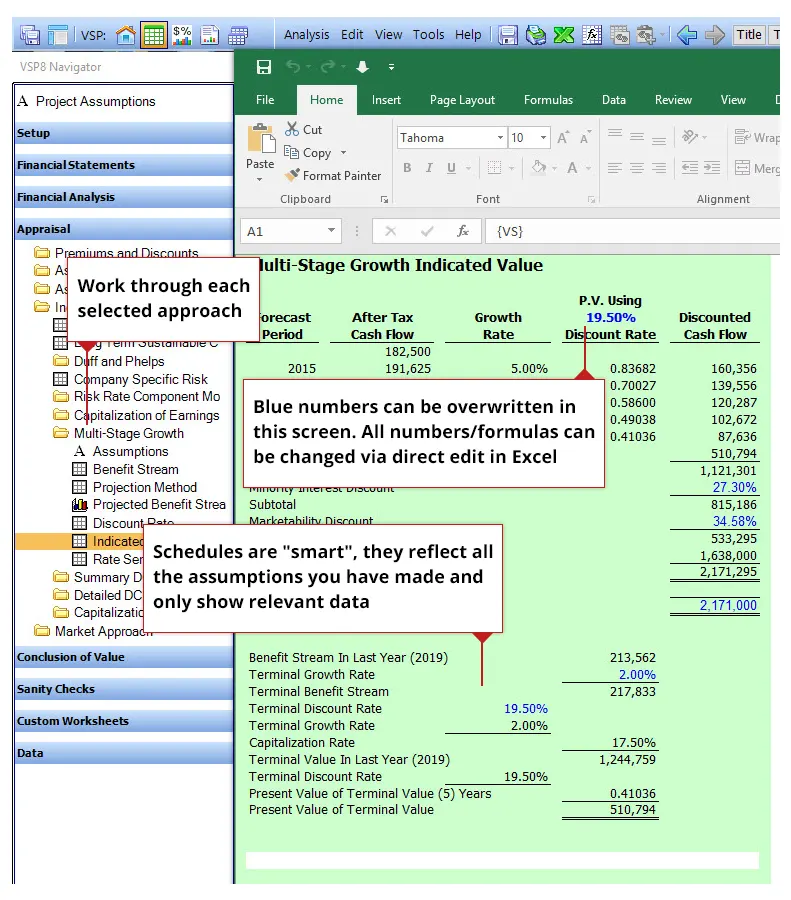
Work through every appropriate approach

Once you decide which approach you want to use, then work through the steps of completing each one.
8

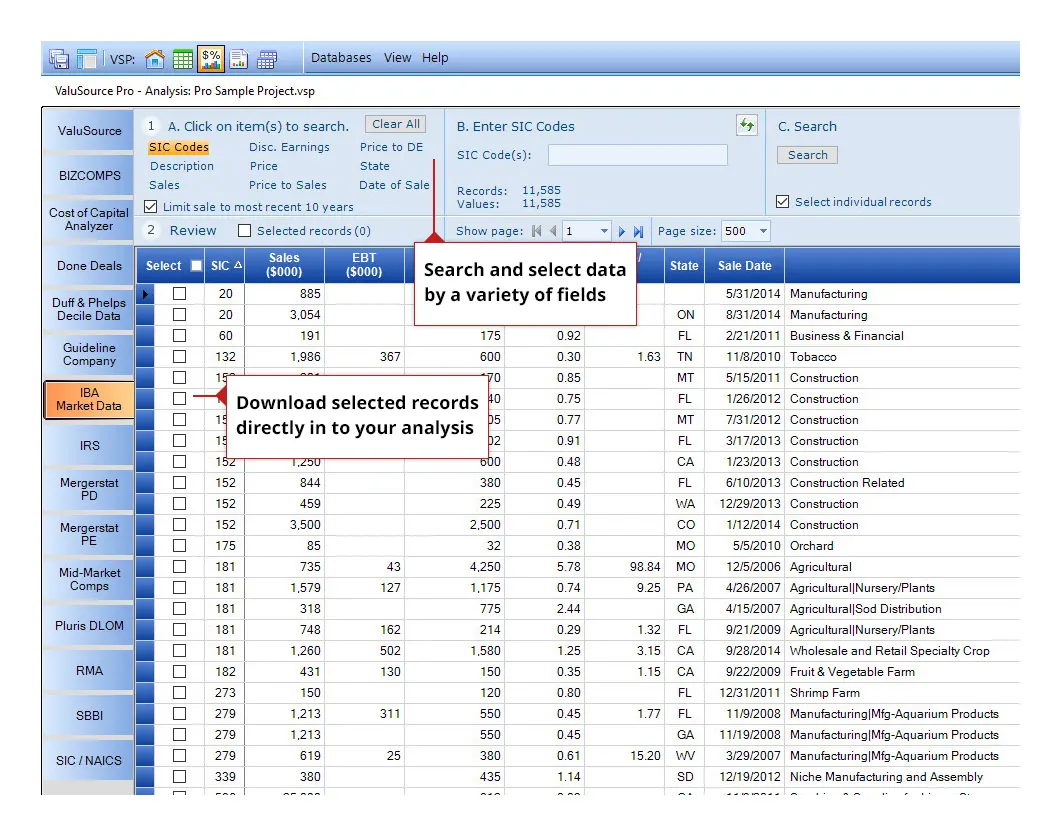
Download and integrate all appropriate valuation data

The software has 11 integrated databases. Select the database, select the data and download directly into your valuation project. Databases must be purchased separately.
9

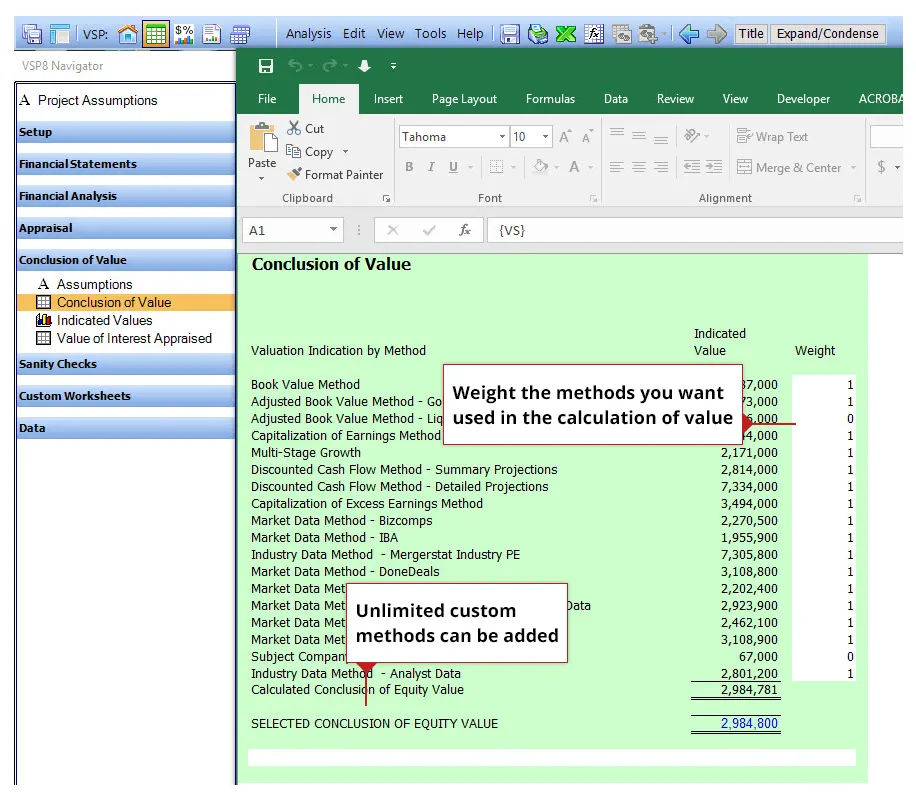
Weight the approaches to calculate a conclusion of value

Once you are done with the valuation approaches, you select which methods you want to include in your value calculation.
10

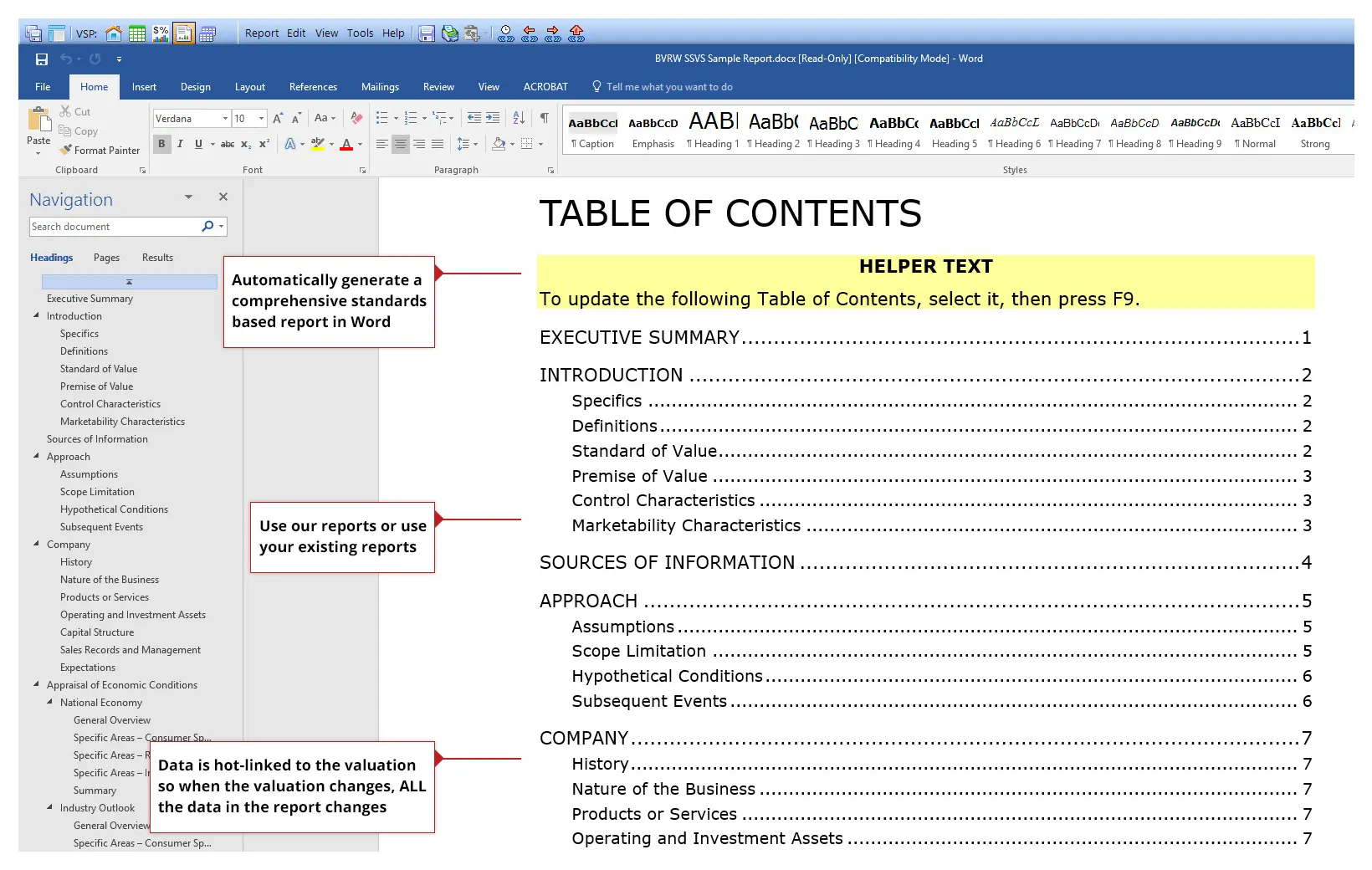
Generate a comprehensive smart standards based report AUTOMATICALLY using the report writer

In business valuation, half the battle is the analysis and database integration, the other half is the written reports. The report writer automates this process saving you up to 50% of the time it takes to create a final written valuation report in Word.

What's Next?

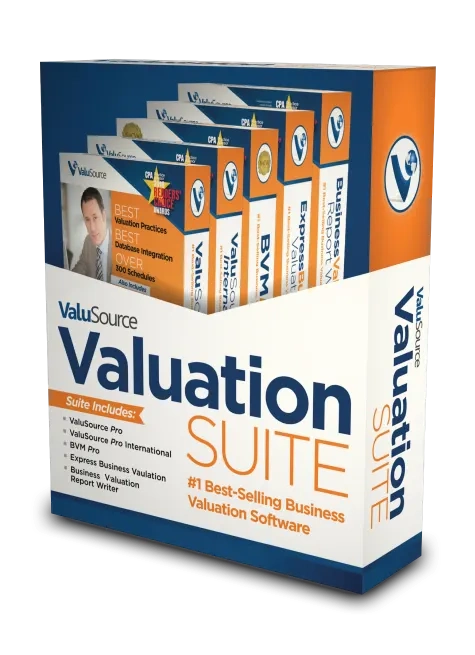
Now that you know how Valuation Software SUITE works, find out what Features and Benefits you get and how they can increase productivity in your workflows.

Premium Data Without the Premium Price

Automate Reports by Linking Word to Excel

Automates the Damages Calculations

“Most Probable Selling Price” Reports

Ballpark Valuation for Business Owners

Download Valuation Software

How to install and update Valuation Software

Technical Support & FAQS

Contact support and find easy answers to common questions

Videos

Quick-start and full walkthrough videos

See Samples

Data and software sample reports

Webinar Archive

View past webinars and demos

Contact Us

Please let us know if you have questions

About ValuSource

Who we are and our mission statement

Terms and Conditions

Privacy policy and terms & conditions