

This month, we bring you the third installment in ValuSource Insider’s new series exploring the dozens of major valuation-related databases and other resources available on the BV Data University website. Read on to learn more about Nambri’s TaxXL, a revolutionary way to quickly convert federal tax returns into financial statements in Excel— with minimal human intervention required. (If you missed it, check out last month’s article on Bizminer.)
TaxXL is the brainchild of Nataliya Kalava, CVA, ABV, MAFF. “I’ve been a valuation professional for 15 years,” she says. “I noticed how long it took to enter the data from tax forms, and hiring someone to do it didn’t make sense.” Kalava joined forces with two co-founders who are more technology-oriented to bring TaxXL to life.
TaxXL converts a variety of federal tax returns into Excel, including:
“If I can spend three minutes on the conversion, instead of hours, and then start working with the professional expertise clients pay me for, it just makes sense,” Kalava says.
Not surprisingly, 90% of Kalava’s customers are valuation professionals. Their subscriptions let them eliminate manual data entry, while enjoying greater accuracy and increased productivity. They also benefit from consistent formatting, which in turn simplifies the analysis of tax return data.
So how does the product work? A subscriber logs in and names the project. From there, users can upload PDF scans of as many years of tax returns as they like. “TaxXL takes two to three minutes to process the scans,” Kalava says.
“Once the processing is done, the user manually refreshes the page. They can see which schedules were scraped, and, if they see any errors, they can be fixed within the dashboard before the data is exported to Excel.
“And then subscribers can do some formatting and cleanup based on their own practices — for example, consolidating related line items.”
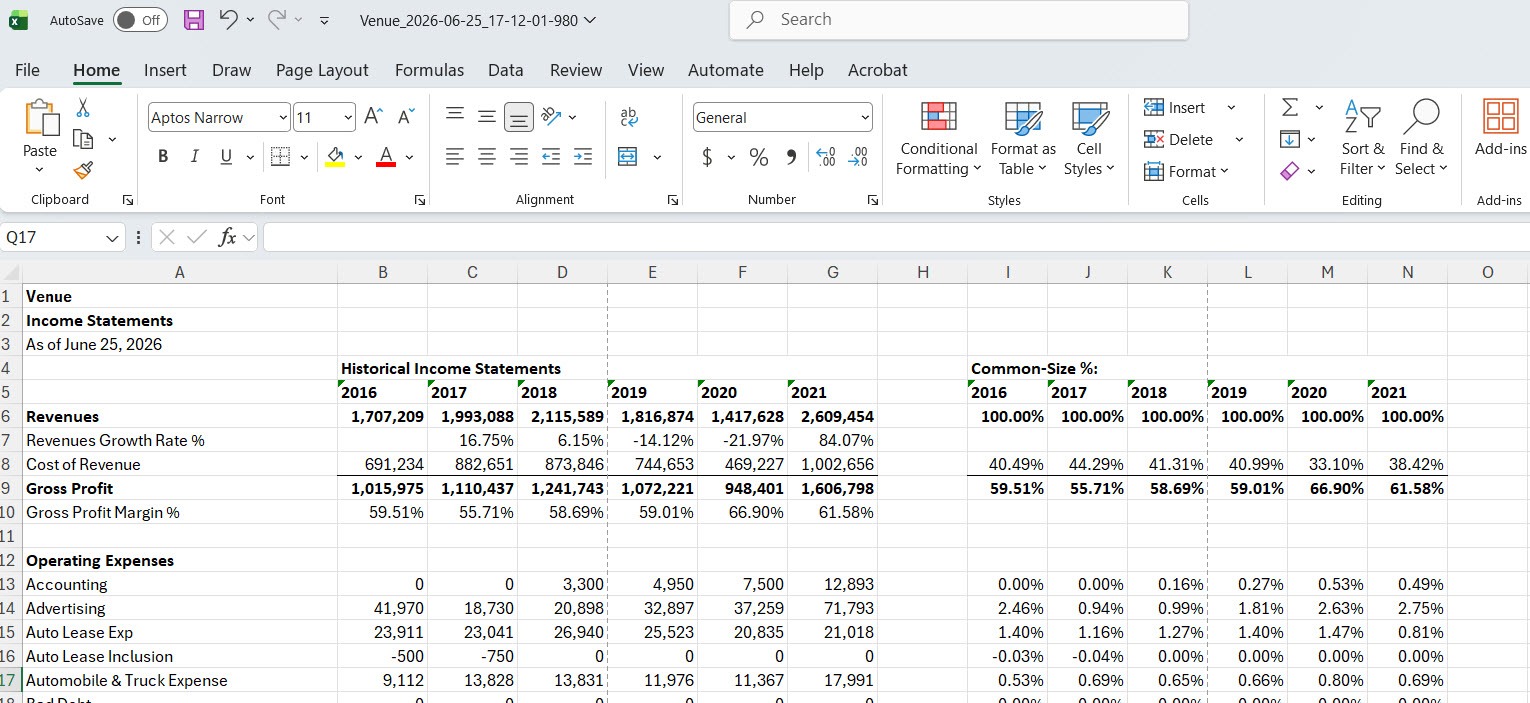
Notably, TaxXL isn’t downloadable — it’s cloud-based — and it doesn’t store any data. “As soon as you delete the project out of your ‘data room,’ it’s purged forever,” Kalava says.
That’s an important distinction for valuation professionals who might wonder if they could get the same results from an AI tool like ChatGPT or Claude. “Security would be the first concern with that,” Kalava says.
“You’re uploading tax returns into a black box, and you don’t know where it’s going or how it’s stored. You’d probably need to redact a lot of information and then outline how to present it in the prompt.” With TaxXL, you need only upload the returns, and you receive the results in minutes.
Nambri isn’t resting on its heels when it comes to TaxXL. It’s working to develop the ability to scrape additional tax schedules that are less structured than those that already are compatible with the program. Kalava says K-1s and depreciation schedules will likely be in the next round of documents that can be easily converted. Down the road, the company may expand its focus to also extract data from internal financial statements, bank statements, and audited financial statements.
TaxXL is only one of the numerous resources available through BVData University. Next month, we’ll introduce you to another and explain how it can help you provide credible, defensible results more efficiently.